Since I’ve already struggled over this problem multiple times and always had to go look things again, I thought I’m going to provide a short overview of how to set things up to get started reversing Golang binaries with Ghidra and GoReSym.
Installation
First, obviously, install Ghidra. I expect this to be done independently, just go to their Github (https://github.com/NationalSecurityAgency/ghidra) and download the application.
As a second requirement for proper Golang binary investigation, GoReSym is needed. The tool worked really well every time I used it. It can be downloaded from Github (https://github.com/mandiant/GoReSym).
After this initial download we can start setting things up for investigation.
Symbol Creation and Application
Start by creating the symbols for your Golang binary with GoReSym:
./GoReSym -t -d -p 'myGolangExecutable.exe' > symbols.json
This will output the informations to a file called symbols.json. Once done, you can open the file with VSCode or Notepad++ (sidenote, make sure, you have not an infected version of it on your Computer: https://notepad-plus-plus.org/news/hijacked-incident-info-update/). Here you will see, the file is big, in my testcase for this writeup, the file was ~200k lines long.
After that, we need to start Ghidra with python interpreter to run a python script inside it.
For this go to your Ghidra install directory and in the subpath: for me it is: /opt/ghidra/support. In here, run the pyghidraRun executable. This will prompt you to create a virtual environment for the dependencies. Do it.
Once the binary is loaded, analyze the binary as usual. If you look after the analysis at the Functions Section in the Symbol Tree of the binary, you will see a lot of nonsense functions. A LOT.
So to clarify, why the binaries are 1. so big (helloWorld checks in at 2MB) and 2. have so many functions in it. Even the easiest possible binary includes the following elements by default:
- The entire Go runtime: This is the main heavyweight. Every Go binary includes the garbage collector, goroutine scheduler, and runtime type information.
- Static linking by default: Go statically links all dependencies into a single binary, including the standard library code used. This means no external dependencies at runtime.
- Reflection metadata: It includes type information for reflection capabilities, even if they are not explicitly used, the runtime itself uses them.
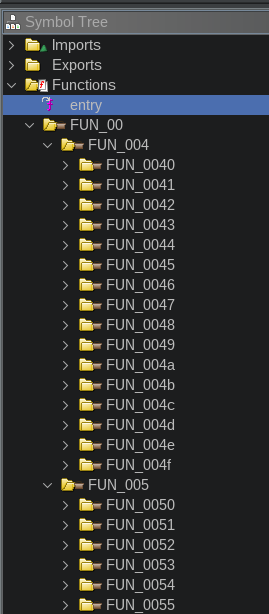
This is not a way you want to analyze a binary. So to now use our symbols we created in the step before, we need to open the Script Manager window:
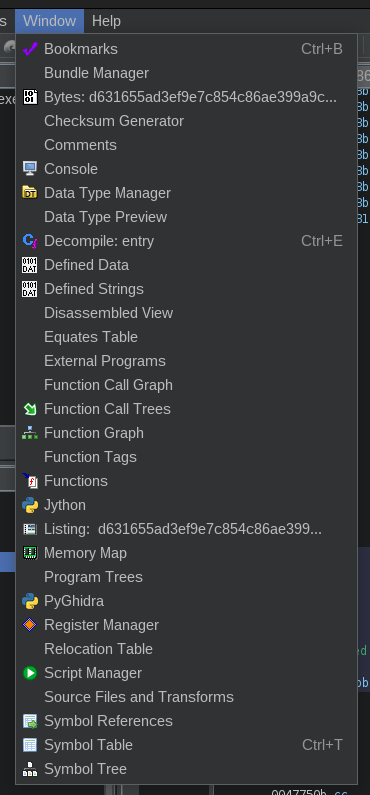
In this window, click in the right top the Create New Script item, select PyGhidra. Then paste the code which can be found in the project of Mandiant (https://github.com/mandiant/GoReSym/blob/master/GhidraPython/goresym_rename.py) into the editor window. Then run it. It will open a window to select a file: here, select the file, which you created before with GoReSym from the binary you’re investigating.
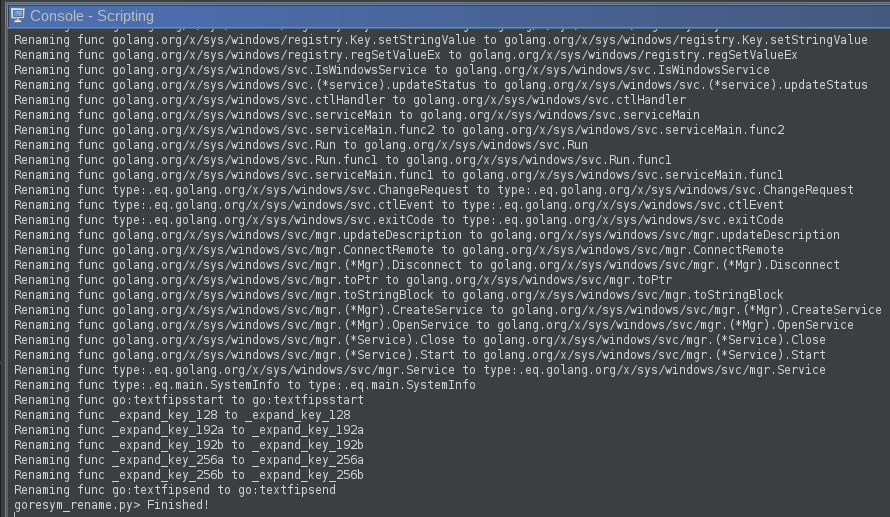
The Symbol Tree should now look a bit cleaner and the functions should have meaningful names. To get to the main entry point of the binary, search for the function called main.main (main_main in IDA). Generally, everything under main.-namespace is interesting for the further analysis.
Obfuscated Golang Binaries with Garble
There is this tool called garble (https://github.com/burrowers/garble). It is used to obfuscate the go code. The problem here is, that also GoReSym approach does not work anymore.
If that’s the case, runtime functions are still named like this, because the golang runtime has to know how to load things. Then search for runtime.unlockOSThread and look at the cross references to this function:
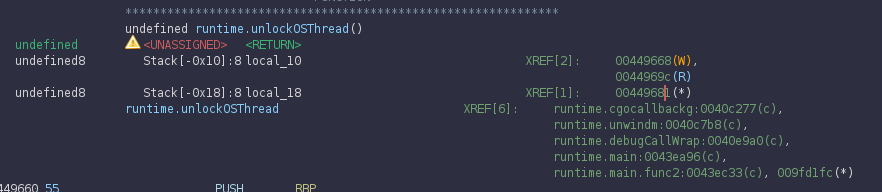
XREF[6]To find out, which is our main function, we just double click one after the other and investigate the program flow. In this case I went for the one on the 2nd last line first (runtime.main:0043ea96) and checked the Function Graph (can be enabled using the Window menu of Ghidra).
In this picture it’s visible (because it has the right name already) that the flow would result in the main function. But if the name wasn’t there, that would be a hint, that this path actually calls to something (because of the CALL instruction in the 3rd box 0043eaad).
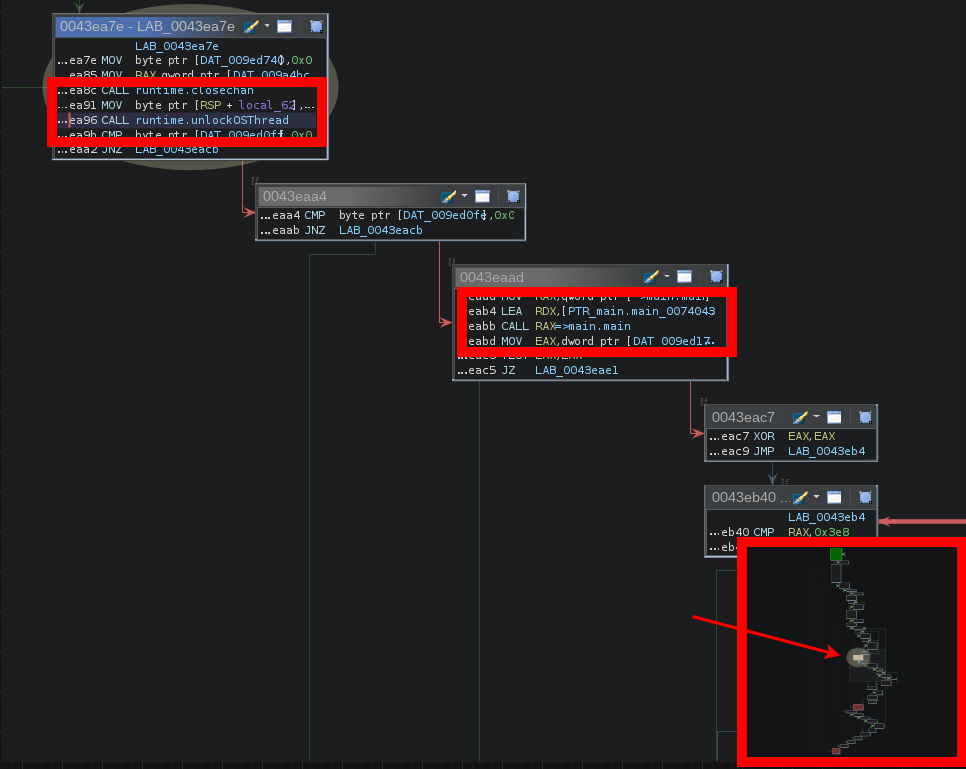
But if we didn’t already see the name and know that this call is resulting in calling main.main, I would follow the other line and see where this ends. In this case we would end up here:
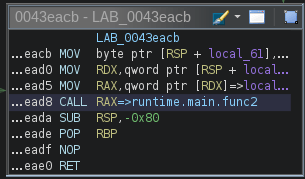
Here I looked at the function, which is called (runtime.main.func2). This function internally just unlocks a thread. So this is not where we would go to find our main function. Following our self-revealing function we find our main function.
The third highlighted box in the above screenshot also shows, this function is close to the end of this call-tree (marked with the arrow), so if anything meaningful happens it likely happens in the path going right from the current function.
Hope this helps someone, definitely helps future me again when I look at a golang binary next time ;P
Stay safe, cheers R4ruk!
 Sidequest Lab